

Worried about the whereabouts of your loved ones? Want to know the current location of friends or family members, especially your children?
Now, with DiGi FRIEND FINDER, finding, tracking, or locating their current whereabouts has become much easier!
This app is ready to help you ensure the safety and location of those you love.
First, in order to make this service work for you, you are required to obtain permission from your loved ones by following the below steps:
1) Send an SMS “FF FIND <Phone No.>” to shortcode 20000
Example: FF Find 0121234567

After you have sent the SMS, you will receive an SMS that your request has been sent to your loved ones as shown example below:
RM0.00:Friend Finder: Permission request sent to ******4567. Once they reply OK, you can find this friend by sending FF FIND ******4567 to 20000
Next, they will receive an SMS as shown below:
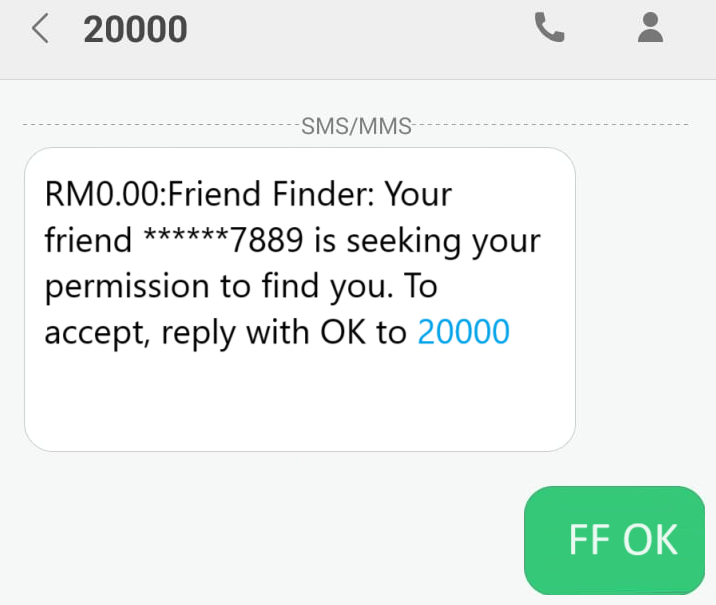
RM0.00:Friend Finder:Your friend ******7889 is seeking your permission to find you. To accept, reply with FF OK to 20000.
2) Your friend or loved one only needs to reply to the SMS to grant permission as below:
Send SMS “FF OK” to shortcode 20000
Example: FF OK
3) Then you will receive a confirmation SMS while your friend or loved one will receive a permission SMS.
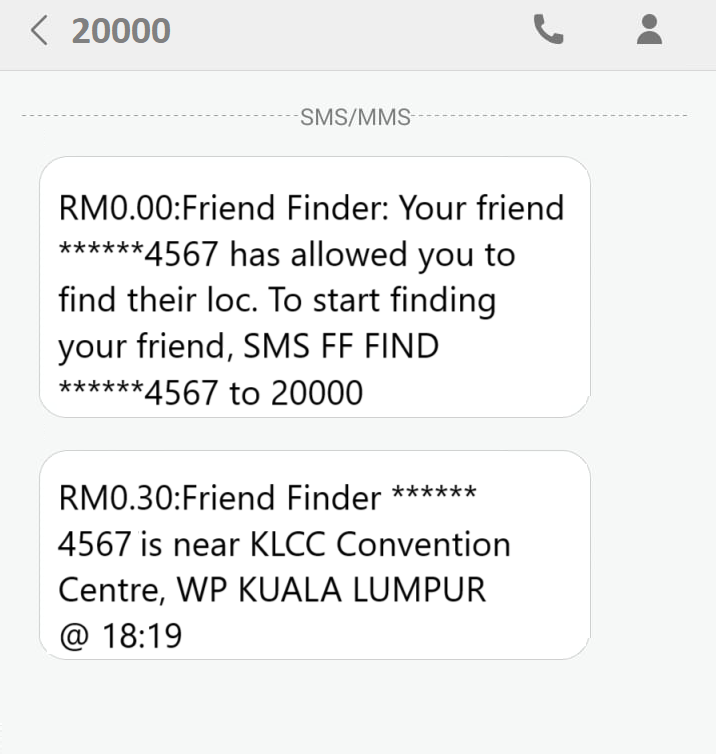
RM0.00:Friend Finder: Your friend ******4567 has allowed you to find their loc. To start finding your friend, SMS FF FIND 0121234567 to 20000
RM0.30:Friend Finder: ******4567 is near KLCC Convention Center, WP KUALA LUMPUR @ 18:19
You are done! Now you can perform the search by repeating the step in Step 1 and you will be able to obtain your loved ones’ latest location.


Leave a Reply